
Free Streaming Overlays & Scoreboards
The score stays with the action.
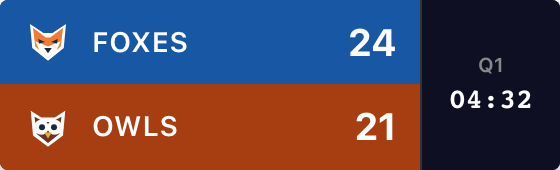
Add your game’s score over the video in OBS, Streamlabs or another streaming app. You keep score from your phone or computer; the overlay updates as you play.
Create Your OverlayFind my streaming app ↓Start without an account. Free: one guest board, up to 50 board views, with branding.
Setup guides for every streaming tool
Choose the app you use to put your broadcast together. Each guide shows where to paste your overlay URL.
Already have a board? Open Scorebug in its admin panel, choose Transparent and click Copy URL.
Add the overlay above your video source. You can also use the green-screen background if your setup needs chroma key.
| Streaming app | Source to add |
|---|---|
| OBS Studio scoreboard setup | Browser |
| Streamlabs Desktop scoreboard setup | Browser Source |
| vMix scoreboard setup | Web Browser |
| XSplit Broadcaster scoreboard setup | Webpage |
| Ecamm Live scoreboard setup | Widget Overlay |
| PRISM Live Studio Desktop scoreboard setup | Browser Capture |
Going live on YouTube or Twitch?
Add the overlay in your broadcasting app, then send the finished video to your channel. Follow our YouTube Live scoreboard overlay or Twitch scoreboard overlay guide.
Using a Stream Deck?
That’s a way to operate the scoring controls. See how to control it from a Stream Deck; you’ll still add the overlay to your streaming app.
Set up your teams
Pick your sport, enter your teams and try a score change. Create the board when you’re ready to get the link for your stream.
Basketball, football, soccer, baseball, hockey and volleyball are available here, along with a general scoreboard for other games.
Need help choosing a layout? Compare the four scorebug styles and the game details each shows.
Score from multiple devices
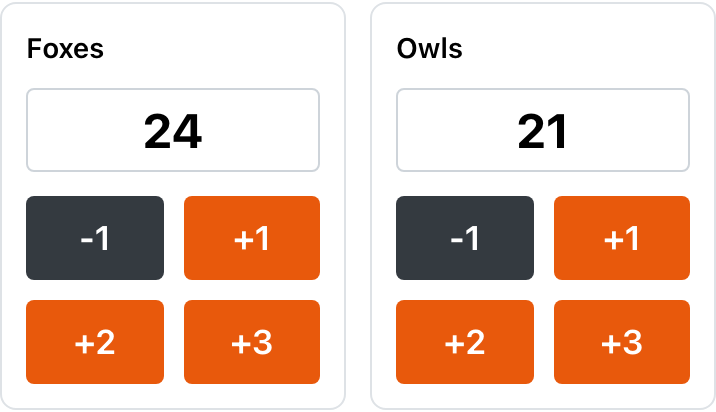
Let one person run the camera and another keep score. Open the board’s admin link on a phone or second computer. Every score change updates the connected overlay without a refresh.
Share the admin link only with people who should edit. A volunteer can use it without their own account; if you add a board password, they’ll need that too. Keep the overlay URL in your broadcasting software.
Both devices need internet access. You enter the scores and operate the clock: the overlay doesn’t read your camera or import a professional league’s results.
Before going live, change one score, check the overlay, then restore the original score using your board’s scoring controls. Our illustrated OBS setup guide walks through the full connection.
Stream clean: remove the watermark
Published free overlays include a small “ScoreKeeperCo” signature. Paid plans can remove it and unlock custom team colors and logos. The starter preview above is unbranded; it doesn’t upgrade the board you create. See Pro pricing for current passes, subscriptions and limits.
Frequently Asked Questions
What is a scorebug?
A scorebug (also written 'score bug') is the compact graphic over a sports broadcast that keeps the score visible during play. Depending on the sport and layout, it can show the game clock, period, possession and other game information. ScoreKeeperCo gives you an overlay URL to add to your streaming software.
What does an NFL scorebug show?
An NFL broadcast scorebug typically shows team names and scores, quarter, game clock, down and distance, and possession. ScoreKeeperCo’s football Broadcast style shows those fields using the information you enter in the scoring controls. Other styles show fewer details. This is an independent tool for your games, not an official NFL graphic or results feed.
Which streaming software does the scorebug work with?
Use the overlay URL in a browser or webpage source. OBS Studio, Streamlabs Desktop, vMix, XSplit Broadcaster, Ecamm Live and PRISM Live Studio Desktop have this kind of input. Source names and transparency settings differ by app; choose your setup guide on this page. These instructions cover desktop broadcasting software, with scoring available from a phone or computer.
What's the difference between a scoreboard and a scorebug?
A scoreboard is the full display showing every detail of a game — typically used for in-venue or full-screen viewing. A scorebug is a compact, persistent on-screen graphic designed to overlay a video feed during a broadcast without obscuring the action. ScoreKeeperCo provides both: a full scoreboard view for in-venue use and a scorebug embed for streaming overlays.
Is the scorebug overlay free?
Start one guest scoreboard without signing up, with up to 50 views. Its overlay includes branding. Paid plans support more boards and views and can remove branding; see pricing for the current options.
Start Streaming Like a Pro
Give your next game a score everyone can follow.
Create Your Overlay