
Fill your roster before game day
Tournament registration that gets teams to the start.
Let teams register themselves, collect the details you need, and take entry-fee payments online. Review each entry before it joins your bracket or round robin.
Start free · No credit card · Spectators don’t need an account
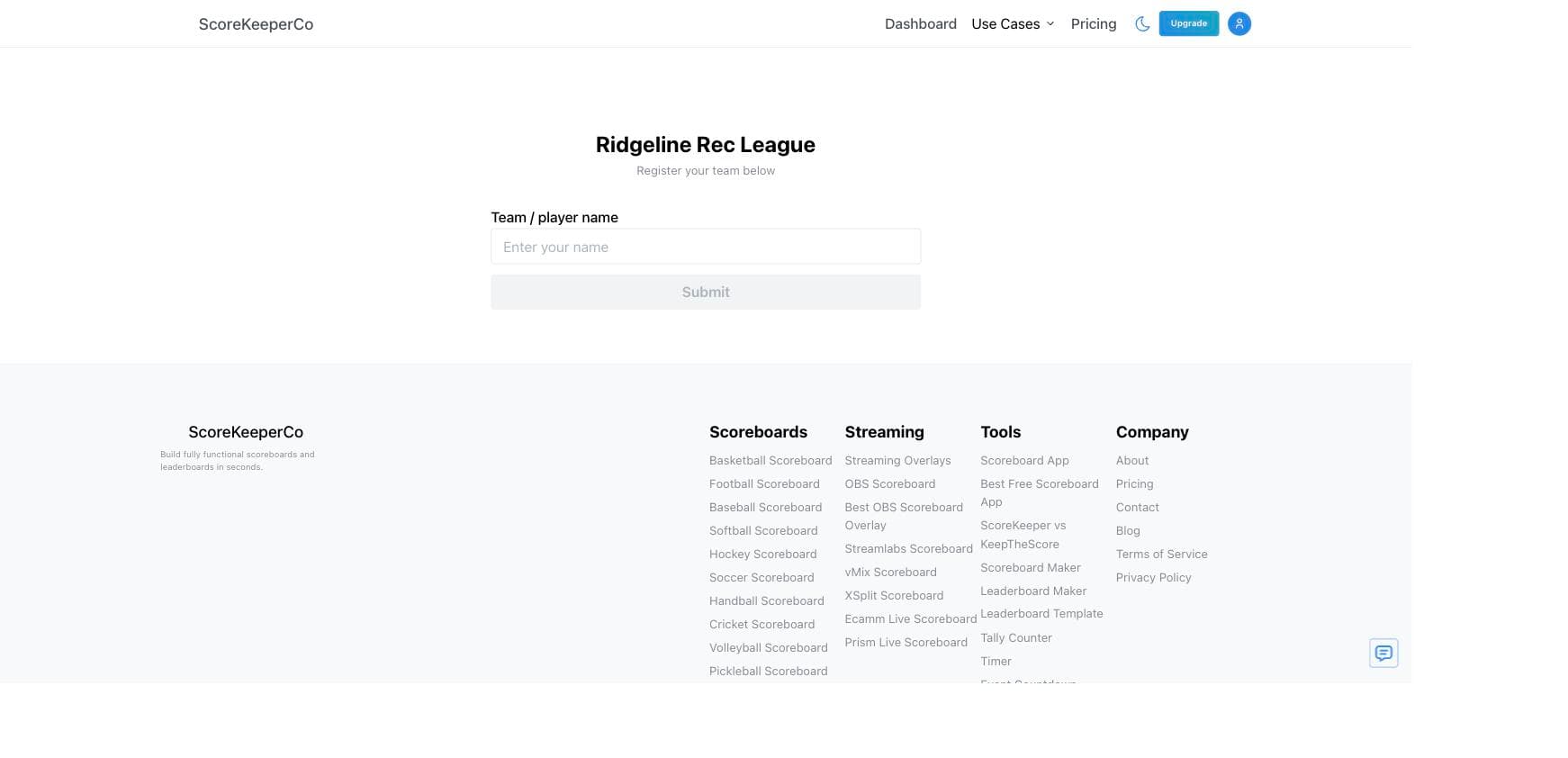
From registration to the opening round
Keep the sign-up list connected to the competition.
A standalone form collects responses. ScoreKeeperCo takes an approved team into the event you will score and share, so the roster becomes part of your tournament workflow.
- 01
Create your event
Start a bracket or round robin board, name the event, and turn on Registration in the admin page. Choose capacity before you share the link.
- 02
Collect the details
Add up to five custom questions and an optional waiver. For paid entry, finish Stripe payout setup, set the entry fee, and review the participant’s checkout amount.
- 03
Approve your field
Review the pending list and approve teams into open roster slots. Once the field is settled, generate your bracket or schedule and share the public tournament hub.
A form that fits your event
Ask what you need. Keep sign-up simple.
Registration collects the team name and contact email. Use the optional fields for information that changes how you organize the event; keep unrelated questions out of the sign-up flow.
| Field | Useful for | Setup |
|---|---|---|
| Team or player name | Identifying the entry in the roster and draw | Included in registration |
| Contact email | Reaching the person responsible for the entry | Included in registration |
| Division or skill group | Sorting entries before seeding or assigning divisions | A custom text or multiple-choice question; review and assign groups yourself |
| Partner or roster details | Fixed doubles pairs or a team captain’s roster information | A custom text question |
| Waiver acceptance | Presenting event terms you have prepared for participants | Optional organizer-provided text and acceptance |
| Entry fee | Collecting payment before event day | Optional Stripe payment; payout setup required |
Export the registration roster as a CSV when you need a working list for check-in. A form answer does not automatically assign a division: review the roster before building pools or the bracket.
Know what teams will pay
Your entry fee, with checkout costs shown separately.
You choose the posted entry fee. Participants pay it plus a separate service fee that includes payment processing. The calculator below uses the same calculation as registration checkout.
Free events work too
Leave the entry fee at zero for a free sign-up. You can still collect team details, ask custom questions, set capacity, and review entries before approving them.
Payment and approval are separate
A payment does not automatically put a team into the draw. Tell participants how you handle approval and any entry conditions before publishing the form. Manage refunds through the supported payment process; removing a roster entry should not be treated as a refund.
Before taking payments: finish Stripe payout setup, confirm the correct event and fee, set your capacity, and review the public registration page. Close registration when the field is final so you can generate the draw from a settled roster.
Choose a plan for your tournament
Start with a small bracket, brand a weekend event, or run a larger competition with Studio.
Try a small bracket
Free
Single elimination for up to 8 participants. Live results, spectator links, and online registration.
ScoreKeeperCo branding included.
Start a free bracketOne weekend · Pro Event Pass
$9 one-time
7 days of Pro. Single elimination for up to 32 participants, team and sponsor logos, and no ScoreKeeperCo branding.
Starts at purchase. No auto-renewal. Double elimination requires Studio.
Studio
$49/month
Double elimination and brackets up to 999 participants. Includes Pro branding tools and standings and schedule CSV exports.
Monthly or annual subscription. Renews until canceled.
Collect entry fees on any plan
Teams register and pay by card without creating an account. Set up Stripe payouts, choose your entry fee, then share your registration link.
Registration estimate · USD
Entry fees to organizer
$400.00
Service fee per paying team
$2.35
Each team pays in total
$27.35
Participants cover a separate service fee, including payment processing. Assumes every listed team pays. Plan purchases, refunds, and disputes are excluded; final charges appear at checkout.
Ready to share the link?
A five-minute registration review.
- 01
Check the entry details
Use a clear tournament name. Decide whether each entry represents a player, pair, or team. Confirm the fee, capacity, custom questions, and event terms.
- 02
Check the player experience
Open the public registration link on your phone. Read it as a first-time participant. Confirm that your entry fee and any service fee are clear before sharing it.
- 03
Prepare the next step
Decide who approves entries and when registration closes. Publish the format and advancement rules, then use the approved roster to make the draw.
After sign-ups, keep the event moving.
Build the bracket
Put approved teams into a seeded draw and follow results through the final.
Use the tournament maker →Plan pool play
Give teams group matches, then seed qualifiers into the playoff bracket.
Plan your pool stage →Run the whole event
See registration, match scoreboards, and the spectator hub as one organizer workflow.
Explore tournament software →Questions before you start?
Is the tournament registration form free?
Registration is available on every plan. Free sign-ups do not carry an entry-payment service fee. If you charge an entry fee, participants pay a separate service fee. Bracket capacity is 8 participants on Free, 32 on Pro, and up to 999 on Studio; any capacity set by the organizer also applies.
Do players need an account to register?
No. Participants use your shared registration link without creating a ScoreKeeperCo account. They provide a team name and email, answer your required questions, and complete any required acceptance or payment steps.
Can I use this for doubles or team registration?
Yes. Treat each bracket participant as the competing entry, such as a doubles pair or a full team. Use the name and custom questions to collect partner or captain details. It is not a player membership or eligibility verification system.
Can I stop accepting registrations?
Yes. Turn Registration off in the admin page to stop new sign-ups. Existing entries remain in the roster. Set capacity before opening registration and settle the field before generating the bracket.
Can I download the registration list?
Yes. Export the registration roster as a CSV, including custom registration answers. This is separate from the Studio feature for exporting standings and match schedules.
Will a team automatically join after paying?
No. Organizers review registrations and approve participants into available roster slots. Payment, approval, and the bracket draw are separate steps.
READY WHEN YOU ARE
Open the door to your next event.
Create your board, turn on registration, and share a sign-up link with your teams.