
Free Prism Live scoreboard for mobile sports streaming
Add a transparent scoreboard over your PRISM video. Keep score from a phone or computer; your overlay updates as you score.
Create Prism Live ScoreboardNo signup to start. One guest board, up to 50 board views. Free overlays include branding. See plan limits.
Already have a board? Follow the setup ↓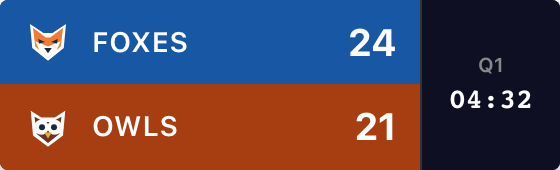
Create Your Scoreboard
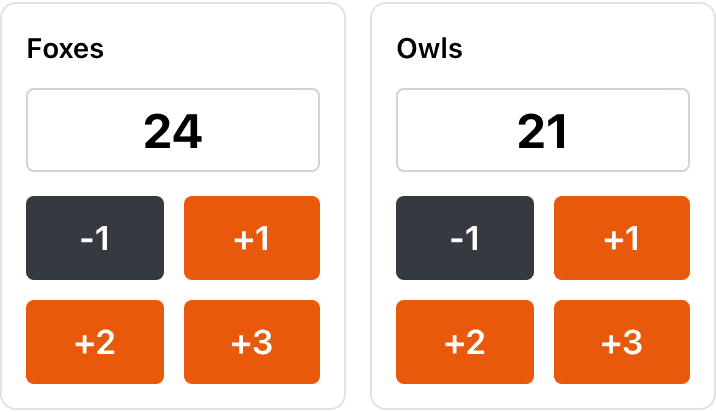
Choose your sport and name your teams. Try a score change, then create your board to get the overlay URL.
Your teams, scores and style carry into the board. You’ll land in the scoring controls with the Scorebug dialog open.
Need tennis, pickleball or another sport? Use the scoreboard maker, then open Scorebug in your board’s admin panel.
Mobile & Desktop Ready
Use the same overlay URL on iOS, Android, Windows or Mac. Get that link from ScoreKeeperCo first, then follow the instructions for your PRISM app.
1. Copy your scoreboard’s overlay URL
In the board’s admin panel, scroll below the scoring controls and appearance settings. Click Scorebug beside Publish.
In Scorebug for Streaming, set Background → Transparent and click Copy URL at the bottom. The Embed URL contains /embed/. Keep the admin link for scoring.

2. Add Web Overlay
Phone or tablet
My Studio → Widget → Web
- In PRISM, open My Studio, tap Widget and create a Web source.
- Enter your copied overlay URL and add the source to your broadcast.
- Position it in the preview. Leave room for the score, clock and any branding in your chosen stream orientation.
See PRISM’s official mobile Web widget guide. Its source limits vary by mode and plan; Basic camera mode allows two displayed overlays.
Windows or Mac
Sources → + → Browser Capture
- Select your scene in PRISM. In Sources, click + and choose Browser Capture.
- Paste your copied overlay URL into the browser source. Give it enough width and height to show the whole scorebug.
- Place the score source above your camera or video source, then position it in the scene preview.
PRISM documents this source in its desktop setup guide. If you use Studio Mode, apply your edited scene to the live output.
Changing scores updates the existing overlay. If you change the overlay style, background or position in ScoreKeeperCo, copy the new URL into PRISM.
Stream From Your Phone
Let one phone film the match while a friend keeps score on another. Give your scorer the board’s admin link—it allows editing. Put the overlay URL in PRISM.
Instant Score Sync
Score changes sync without refreshing the overlay. Both devices need an internet connection. Someone still needs to enter the scores; the app doesn’t read the camera or import results.
3. Go Live Anywhere
Before streaming to YouTube, Twitch or Facebook, add a test point in the admin panel. Check the score in PRISM’s preview, then use your sport’s correction controls to restore it. Check your actual stream too: streaming delay can make viewers see changes later.
If something doesn’t look right
I see the website or scoring controls
Replace the source address with Scorebug → Copy URL. It should contain /embed/, not /admin/. Open that URL in a browser to check the display before adding it again.
The overlay is cut off or covers the action
Give the web source more room to load the full graphic, then resize and position it in the scene. Check portrait or landscape framing before going live. For a different shape, try Minimal or Vertical in Scorebug; the scorebug style comparison shows the options.
The background is solid or the score is stale
For transparency, choose Transparent in Scorebug and paste the updated URL into PRISM. For a stale score, check for save errors in the admin panel and open the overlay URL in a browser. If the browser is current, reload the web source in PRISM and test again. Check both devices’ connections.
Stream clean: remove the watermark
Free overlays include a small “ScoreKeeperCo” label. Paid plans can remove it and add custom team colors and logos. Turning on the Pro preview only changes the preview, not a free board’s published overlay. See Pro pricing for current passes, subscriptions and limits.
ScoreKeeperCo controls the scoreboard’s branding. Your PRISM plan controls PRISM’s own features and limits.
Streaming from something other than mobile?
Choose the setup guide for your broadcasting software or destination. The streaming overlay guide helps you choose.
Frequently Asked Questions
What is a scorebug in Prism Live Studio?
A scorebug (or score bug) is the small graphic showing scores over a sports broadcast. Depending on the sport and style, it also shows a clock, period or possession. PRISM loads your ScoreKeeperCo overlay as a Web widget on mobile or Browser Capture on desktop. You enter the scores in ScoreKeeperCo; the overlay displays them.
How do I add a scorebug to Prism Live Studio?
Create a board and open Scorebug in its admin panel. Choose a transparent background and click Copy URL. On PRISM mobile, open My Studio → Widget → Web. On desktop, use Sources → + → Browser Capture. Paste the overlay URL, position it over your video and test a score change before going live.
Will the Prism Live scorebug match NFL scorebugs?
The football Broadcast style shows team names, scores, quarter, game clock, down, distance and possession using the game information you enter. Other styles show fewer details. It is an independent scoreboard for your game, not an official NFL graphic or an automatic NFL results feed.
Is the Prism Live scoreboard overlay free?
Start one guest board without signing up, with up to 50 board views. Free overlays include ScoreKeeperCo branding. Paid plans add capacity and can remove branding and add team logos. PRISM has its own plans and overlay limits, separate from your ScoreKeeperCo plan.
Stream Sports From Anywhere
Set up your teams, copy your overlay URL and test the score before the first whistle.
Create Prism Live ScoreboardStuck on a step? Contact us and tell us which device you’re using.