Broadcast
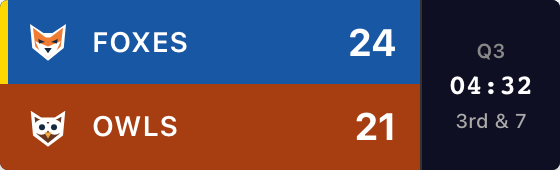
The most game detail. Team names, scores, clock and period, plus sport-specific information. This football example includes possession and down and distance.
Called ESPN in the Scorebug dialog.
Your game. The score. Right on the stream.
A scorebug keeps the score visible over your video. Choose your sport, name your teams and get an overlay link for OBS, Streamlabs or another browser-source tool.
Create a Score BugStart without an account. Free: one guest board, up to 50 board views, with branding.
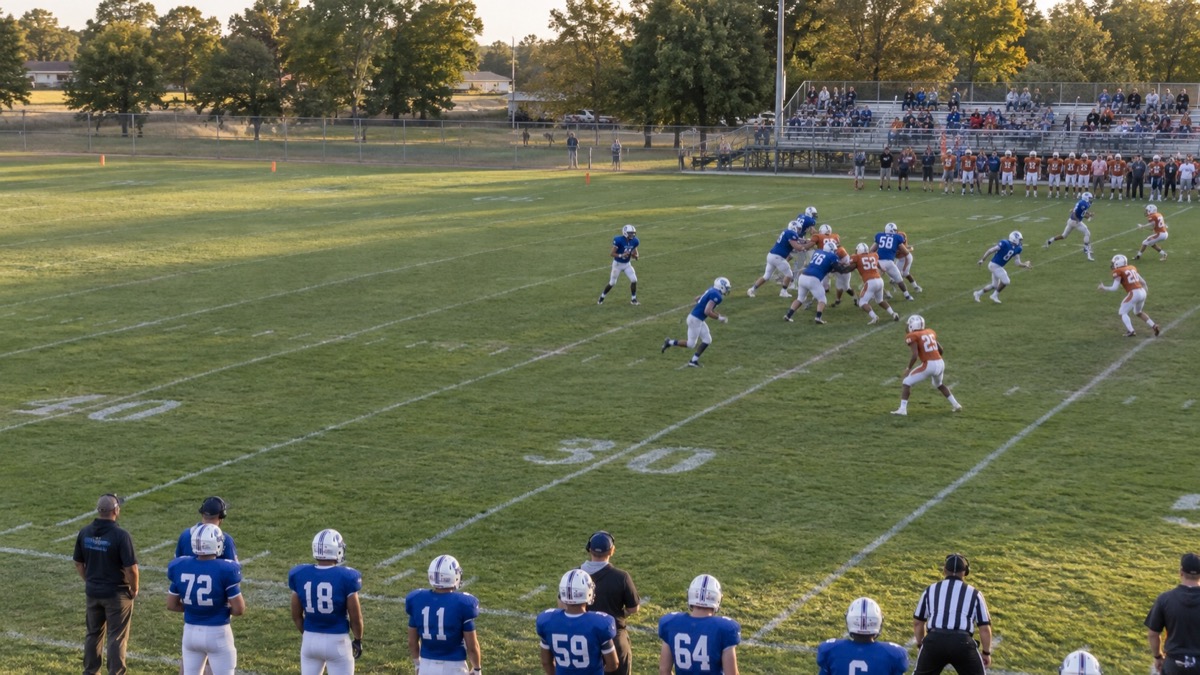
Pick a sport and style, then enter your teams. Try the +1 buttons to see the real overlay change. Your names and scores carry into the board you create.
Once your board opens, copy its overlay URL. Keep the scoring controls on your computer or phone while the overlay goes on your stream.
Compare the four styles ↓Same game, four ways to show it. These are screenshots of the actual Pro football overlays, with branding removed. Broadcast, Classic and Vertical also show uploaded team logos. Try your own teams in the form above.
The most game detail. Team names, scores, clock and period, plus sport-specific information. This football example includes possession and down and distance.
Called ESPN in the Scorebug dialog.
A narrow strip with three-letter team abbreviations, scores and an optional clock. Leaves more room for the action; omits logos, period and down and distance.
Useful when space is tight.

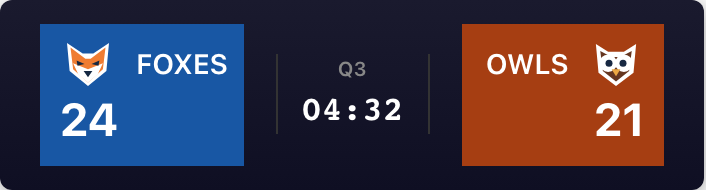
Both team names and scores on one horizontal row, with the clock and period in the middle. Includes a possession marker for football, but no down and distance.
Useful along the top or bottom edge.
Stacks the teams, scores, clock and period in a tall layout. Team logos replace the abbreviated names when uploaded. Includes a football possession marker; omits down and distance.
Useful beside a narrow video layout.
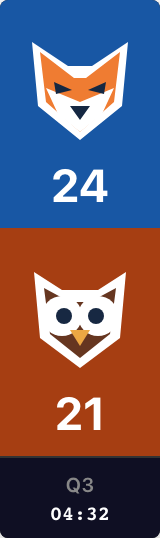
Clock and period visibility depend on the sport and style. Preview your chosen layout before positioning it over your video.
The illustrated OBS scoreboard setup shows the exact buttons and source settings.
Using another app? Find your software in the live streaming overlay guides.
You keep score; the overlay follows. Give your scorer the board’s admin link and keep the overlay URL in your streaming software. Both devices need an internet connection.
Before going live, change a score and watch the overlay update. Use Undo last action to restore it. No refresh is needed for score changes.
For football, set quarter, possession, down and yards to go in the admin panel. Basketball, baseball, softball, hockey, soccer, volleyball, pickleball, tennis and generic games have their own scoring controls. The overlay does not import results or read your camera feed.
Changing overlay style, background or position changes its URL. Copy the new link into your streaming software after those changes.
Free scorebugs include “ScoreKeeperCo”. Paid plans can remove that branding and unlock custom team colors and logos. The Pro preview toggle shows a preview only; it does not upgrade a free overlay. See Pro pricing for current passes, subscriptions and limits.
A scorebug (also written ‘score bug’) is the small graphic on a sports broadcast that keeps the score visible over the video. Depending on the sport and style, it can also show a clock, period, possession or down and distance. It lets viewers follow the game without leaving the action.
Create a board, then open Scorebug in its admin panel. Select Transparent as the background and click Copy URL. In OBS, add a Browser source and paste that Embed URL. Keep the admin page open to update scores. If the overlay is clipped, increase the Browser source width or height before resizing it in your scene.
An NFL broadcast scorebug typically shows team names and scores, quarter, game clock, possession, and down and distance. For your own football games, ScoreKeeperCo’s Broadcast style shows these fields from the football scoring controls. The other styles show fewer details. This is an independent scorekeeping tool, not an official NFL graphic or data feed.
You can start without an account with one guest board and up to 50 board views. Free overlays include ScoreKeeperCo branding. Paid plans increase capacity and can remove branding and unlock custom team colors and logos. Check the pricing page for current limits and options.
The overlay has a webpage URL for software that supports a browser or webpage source, including OBS Studio, Streamlabs, vMix, XSplit, Ecamm Live and Prism Live Studio. Add that URL using your software’s browser-input controls; setup and transparency handling can differ between applications.
Set up your teams and give your next game a score everyone can follow.
Create a Score BugNeed a hand? Contact us.