
Create a wrestling scoreboard online for free
Put the bout in view. Name two competitors, enter the points awarded by the official, and control the clock and period.
Create a manual wrestling scoreboardOpens a generic board with two scores at zero. One guest board without signup; 50 total shared views per Free board. See plan limits.

You call the points. The board shows the score.
The controls are manual +1 and −1 buttons. There are no move buttons or automatic wrestling decisions to learn.
- Name both competitors. Open Team Customization, change each Team Name, and select Apply.
- Set the clock and periods. In Game setup and sharing, enter Number of Periods and Period Length (minutes) for your event. Use Start, Stop, Reset Clock and Next period as needed.
- Score and share. Tap + once per point. Use − to correct an extra point. Select Share scoreboard and send the Spectator link so others can follow without editing.
A manual scoring example: Mara has 2 points and is awarded 3 more. Tap + three times: 2 + 3 = 5. If you entered 6 by mistake, tap − once. The shared display updates to 5.
Keep the admin link for your scorekeepers. Check the saved totals and spectator display before the bout; both devices need an internet connection.
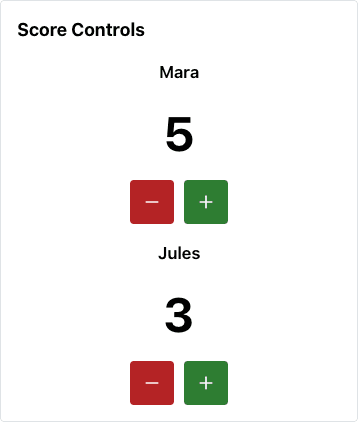
Each press changes the total by one point.
Wrestling Scoreboard for Dual Meets and Individual Matches
Use this board for the two competitors in a bout, or name the entries after two squads to show manual team totals. Those are separate boards with separate scores. There is no linked dual-meet mode or weight-class ledger.
Start one board as a guest. To keep a bout board and a team-total board together, create a Free account for up to 10 boards. Each Free shared board has its own 50-total-view limit.
Dual Meet Team Scoring by Result
After each bout, confirm the result and the team points with the official scorer. Add those points to the winning squad’s manual total. Keep the weight class, result and official record separately.
A fall, technical fall, major decision or decision is a result you interpret using your event’s rules. Selecting or converting those results automatically is not a feature of this board.
Individual Match Scoring: Takedowns, Escapes, Reversals, Near Falls
Enter the points the referee awards for each action, plus any awarded penalty points. The board displays the current total for each competitor and the current period. It does not keep a move history or separate period totals.
Use the displayed total to check a correction with the scorer. The official record should remain your source of truth.
Periods, Riding Time, and Folkstyle Rules
Confirm the timing and scoring rules for your competition before starting. The configurable clock is a single game clock; there is no separate riding-time clock, automatic overtime sequence or rule-based winner selection.
For U.S. high school events, consult the NFHS wrestling rules resources and your event organizer. Change unequal period lengths manually. This tool does not choose a rule set for you.
Frequently Asked Questions
How does dual meet team scoring work in wrestling?
A dual meet combines team points awarded from individual bouts. Calculate each result using your event’s rules, then add the awarded team points to a separate manual board. This app does not convert falls or decisions into team points, link bout scores to team totals, or keep a weight-class ledger. A second board requires an account; a Free account allows up to 10 boards.
How is scoring different in an individual wrestling match?
The individual board shows the competitors’ running point totals. Enter points awarded by the official for takedowns, escapes, reversals, near falls or penalties using the + and − controls. It does not record which move earned each point or save a separate score for every period. Keep the official bout record separately.
How many periods are in a wrestling match?
Use the period count and timing required by your event’s rules and age group. In Game setup and sharing, set Number of Periods and Period Length (minutes). Next period changes the period label; use Reset Clock when you need a fresh clock. If periods have different lengths, change the length manually before starting the next one.
What’s the difference between folkstyle and freestyle wrestling?
Their scoring and timing rules differ. This is a configurable manual scoreboard, with no built-in folkstyle, freestyle or Greco-Roman rules engine. Confirm your event’s rules before setting the clock and periods. There is no separate riding-time clock or automatic winner selection.
Is this wrestling scoreboard free?
Start one guest board without signup, or keep up to 10 boards with a Free account. Each Free shared board includes 50 total views, not 50 simultaneous viewers. Standard scoring is free. Pro adds unlimited views, custom colors, logos and watermark removal. Free displays may include ads.
Can parents and fans follow the wrestling score remotely?
Yes. Select Share scoreboard on the scoring page and send the Spectator link. It shows saved score, clock and period updates without scoring controls. The scorekeeper and viewers need an internet connection. Keep the admin link for trusted scorekeepers and check the shared-view limit before your event.
Get your next bout on screen
Two competitors, your awarded points, and a link for the people watching.