
Free Streamlabs scoreboard for sports streaming
Put your game’s score over the video in Streamlabs Desktop. Create a board, paste its overlay URL into a Browser Source, and keep score from your phone or computer.
Create Streamlabs ScoreboardNo signup to start. One guest board, up to 50 board views. Free overlays include branding. See plan limits.
Already have a board? Follow the setup ↓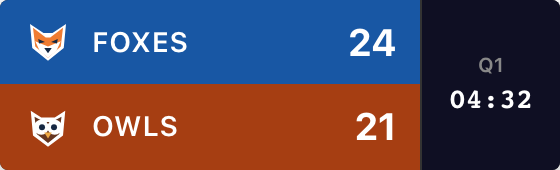
Create Your Scoreboard
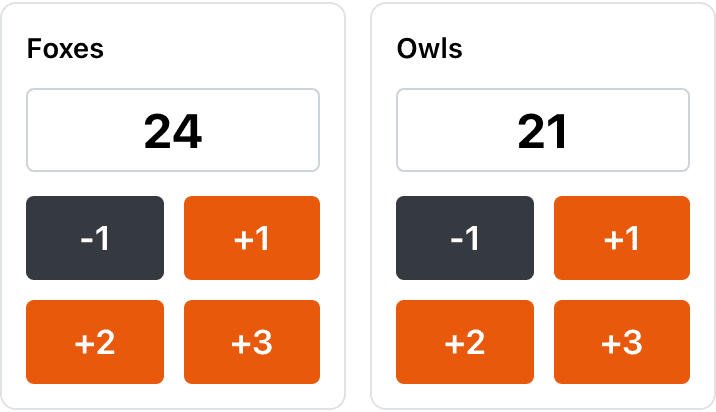
Choose a sport and name your teams. Try the +1 buttons, then create your board to get the overlay URL.
Your names, scores and style carry into the board. Creating it opens the scoring controls and the Scorebug dialog.
For softball, pickleball, tennis and more, use the scoreboard maker, then open Scorebug in your board’s admin panel.
Returning to a saved game? Open your dashboard.
Simple Streamlabs Setup
Open Streamlabs Desktop on your streaming computer and select the scene with your camera or game video. Keep your board’s admin page open for scoring.
1. Open Scorebug in your board’s admin panel
Scroll below scoring and appearance settings. Click Scorebug beside Publish. If you just created a board above, the dialog opens for you.
Choose Background → Transparent, then click Copy URL at the bottom. The Embed URL contains /embed/. The admin link is for editing scores.

2. Add to Streamlabs
- In Sources, click +. Choose Browser Source under Capture Sources, then Add Source.
- Name the source “Game score” and click Add Source. Paste your copied link into URL.
- Adjust Width and Height so the whole graphic fits, then close the source settings. Drag Game score above your camera in the Sources list.
Streamlabs’ official Browser Source instructions show the source picker and URL field. You don’t need to write custom widget code for this scoreboard.
Fit the graphic before you shrink it
- Source type
- Browser Source
- URL
- Your copied Embed URL
- Width × Height
- Try 800 × 240 for this compact basketball example
- Position in Sources
- Above the camera or game video
These are setup notes, not a Streamlabs screenshot. Vertical layouts need more height; full-width layouts need a source sized to the stream canvas.
If a name, clock or branding is cut off, increase the source’s dimensions first. Then resize the source in the scene preview to leave the action visible.
Update From Any Device
A volunteer can score from a phone while you run Streamlabs on a laptop. Give your scorer the admin link, which allows editing. Use the read-only overlay URL in Streamlabs.
3. Go Live
First, add a test point. Confirm the new score in Streamlabs’ preview, then use your sport’s correction controls to restore it. Switch to another scene and back to check that the overlay returns correctly.
Both devices need internet. Scores sync without a manual refresh; viewers may see them later because of stream delay. Someone enters the scores—this is not an automatic professional-match results feed.
Built for Streamlabs' cloud-based workflow
Your scores live in ScoreKeeperCo. Reuse the same overlay URL when setting up Streamlabs on another computer; keep the admin link separately for scoring. It is not an automatic import of your Streamlabs theme or scene layout.
Keep the source loaded between scenes
To keep the webpage running while hidden, turn off Shutdown source when not visible and Refresh browser when scene becomes active in the Browser Source settings. Streamlabs explains both in its browser-source guide. Test your scene transitions before the match.
Scoring on a phone versus streaming from one
Phone scoring works alongside this Desktop setup. We haven’t verified the overlay inside Streamlabs Mobile; don’t assume its editor has Desktop’s source options. Check the Streamlabs Mobile guidance. For a phone-only web-overlay workflow, see our PRISM setup guide.
If the overlay doesn’t look right
I see the website or score controls
Replace the URL with Scorebug → Copy URL. It should contain /embed/. Open it in a separate browser tab to confirm it shows only the overlay before adding it again.
The overlay is cut off or covers the action
Increase Width and Height to fit the complete graphic, then resize its placement in the scene. Check source order if a full-screen camera or theme hides it. Leave space for both the score and your alerts.
The background is solid or the score is stale
For transparency, choose Transparent in Scorebug and copy the updated URL into Streamlabs. For a stale score, check for an admin save error and open the overlay URL in another browser. If that shows the current score, reload the Streamlabs source. Confirm both devices are online.
Broadcast-Quality Score Bugs
Try Broadcast, Minimal, Classic or Vertical in the starter. The Scorebug dialog calls Broadcast “ESPN”. Available clock, period and sport-specific fields depend on the chosen style. The football Broadcast style includes down, distance and possession; other layouts show fewer details.
Compare the actual layouts in the scorebug style guide. Changing a style, background or position means copying the updated URL into Streamlabs. Score changes sync through the existing URL.
Stream clean: remove the watermark
Free overlays include “ScoreKeeperCo”. Paid plans can remove it and add team colors and logos. The Pro preview toggle only changes the preview, not a free board’s published overlay. See Pro pricing for current passes, subscriptions and limits.
Streaming to more than one platform?
The overlay is part of your broadcast scene. Your streaming software handles delivery to Twitch, YouTube or another destination. For a different setup, choose a guide:
Frequently Asked Questions
What is a scorebug in Streamlabs Desktop?
A scorebug (or score bug) is the compact score graphic over a sports broadcast. ScoreKeeperCo gives you a transparent overlay URL to add as a Browser Source above your video. You enter scores in the admin panel; the overlay shows those updates. Clock, period and other fields depend on the sport and style.
How do I add a scorebug to Streamlabs Desktop?
Create a board, open Scorebug in its admin panel, choose Transparent and click Copy URL. In Streamlabs Desktop, choose Sources → + → Browser Source → Add Source. Name it, paste the URL and adjust Width and Height to fit your graphic. Put the score source above the camera source, then test a score change before streaming.
Can I run the scorebug on Streamlabs mobile streaming?
This guide covers Streamlabs Desktop, with score control available in a phone browser. We have not verified this overlay inside the Streamlabs Mobile app; its scene editor and features differ from Desktop. For a phone-only broadcast, our PRISM guide explains its documented Web widget setup. You can also keep Streamlabs Desktop on a laptop and give a phone-based scorer the board’s admin link.
Do Streamlabs' built-in themes work with the scoreboard?
Add the scoreboard as its own Browser Source in your scene. A transparent background lets the video or theme show around it. Check source order and positioning so the score does not cover alerts or get hidden by a full-screen graphic. Paid ScoreKeeperCo plans support custom team colors and logos; your Streamlabs theme does not change those settings automatically.
Is the Streamlabs scoreboard overlay free?
Start one guest scoreboard without signing up, with up to 50 board views. Its published overlay includes ScoreKeeperCo branding. Paid plans add capacity and can remove branding and add team logos. These are ScoreKeeperCo plan features, separate from a Streamlabs subscription.
Upgrade Your Streamlabs Setup
Get your teams ready, copy the overlay URL and test the first score change.
Create Streamlabs ScoreboardNeed help? Contact us with the step you’re stuck on.