
Free Twitch scoreboard overlay for live streams
Keep the match score beside the action. Add a live scorebug to your OBS or Streamlabs scene, stream it to Twitch, and score from your phone.
Create Twitch ScoreboardNo signup to start. One guest board, up to 50 board views. Free overlays include branding. See plan limits.
Already have a board? Follow the setup ↓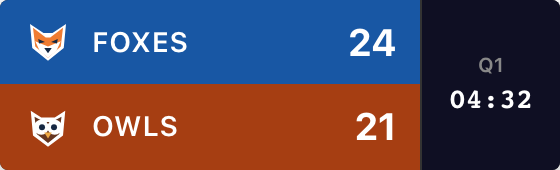
Create Your Scoreboard
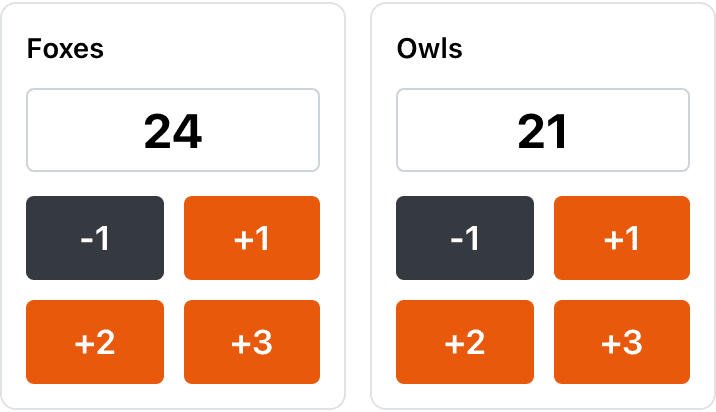
Choose your sport and name the teams. Try the +1 buttons, then create the board to get its overlay URL.
Your names, scores and style carry into the board. For a friendly gaming match or round tally, choose Other game. You enter the results yourself.
For softball, pickleball, tennis and more, start with the scoreboard maker, then open Scorebug in your board’s admin panel.
Drop It Into Your Twitch Layout
The scorebug goes into your broadcasting software. Twitch receives the finished scene with the score already in the picture.
1. Copy your scorebug URL
In your board’s admin panel, scroll below scoring and appearance settings. Click Scorebug beside Publish. The starter above opens that dialog for you.
Choose Background → Transparent and click Copy URL at the bottom. Use the Embed URL containing /embed/. Keep the admin link for scoring.

2. Add a Browser source
In OBS, select your game scene, then Sources → + → Browser. Name it “Game score”, leave Local file off and paste the overlay URL.
For this compact basketball example, start at 800 × 240. Increase the source height for a vertical layout. Place it above the camera or game capture in your source list, then resize it within the scene.
Follow our illustrated OBS setup or Streamlabs Desktop setup for your app. OBS documents the Browser source settings.
3. Test your Twitch layout
Make a short local recording before your stream. Add a point from the admin page, correct it, then play the recording back to check the score and your video together.
Check the scene you actually send live, including any scene transitions. Then stream to Twitch using your usual connection. Your overlay URL and Twitch stream key do different jobs: only the overlay URL belongs in the Browser source.
Twitch’s stream-key guide explains the broadcast connection. ScoreKeeperCo does not need access to your Twitch account.
Built to Share Screen Space
Give scores a clear place beside the game, camera, chat and alerts. A scorebug that looks fine on your monitor can become unreadable in a small Twitch player.
Winning the fight for screen space
- Make room for the game. Choose an edge away from the game’s own HUD, player names and important action. Keep the entire scorebug visible, including its clock and free branding.
- Try the busiest moment. Trigger a test alert in your alert tool and show a long chat message. Reposition sources if either covers the score; changing layer order alone just changes what gets hidden.
- Check every game scene. Reuse the scorebug source in scenes that need it. Check a phone-sized playback and increase the graphic’s size if you cannot read the score comfortably.
For a less crowded graphic, compare the actual Broadcast, Minimal, Classic and Vertical scorebug styles. The Scorebug dialog calls Broadcast “ESPN”; available game fields vary by style.
Update It Without Leaving the Game
Leave the overlay running and keep the board’s admin page open on your phone. Tap in scores between plays or hand scoring to someone beside you.
Score from multiple devices
Give the admin link only to your scorekeeper or co-streamer; it allows editing. They do not need your Twitch stream key. Keep the read-only overlay link in OBS or Streamlabs.
Both devices need internet. Scores sync without a manual refresh, but Twitch playback can be delayed. Someone still needs to enter scores and operate the game clock; Twitch chat and video-game results do not score the board automatically.
If the overlay doesn’t look right
The background is solid instead of transparent
Choose Transparent in the Scorebug dialog and copy the updated URL into your Browser source. Check that you copied the Embed URL rather than the admin page. Use the broadcasting app’s browser-source settings, not a screenshot of the board.
The overlay is cut off or covers the action
Increase the Browser source’s Width or Height if part of the scorebug is clipped. Then scale and position the whole source in your scene. Test long team names, clock digits and any game details you intend to show.
The score is current in OBS but late on Twitch
Check Twitch’s latency guidance and whether you intentionally added a stream delay. If the overlay in your broadcasting app is current, the delayed video includes that score. If the overlay itself is stale, check save errors and connectivity in ScoreKeeperCo first.
The overlay disappears after switching scenes
Check that the new scene includes the scorebug and that its source is visible. In OBS, review the options to shut down a hidden source or refresh it when the scene becomes active. Test the return to your game scene before the event.
Stream clean: remove the watermark
Free published overlays include “ScoreKeeperCo”. Paid plans can remove branding and add custom team colors and logos. The Pro preview toggle affects only the preview, not your free published overlay. See Pro pricing for current passes, subscriptions and limits.
If you change the style, background or corner in the Scorebug dialog, copy the updated URL into your source. Score changes continue through the existing URL.
Running a multi-platform setup?
Choose the guide for your broadcasting software. YouTube and Twitch are destinations for the finished video; each still needs an app that can include the overlay.
Frequently Asked Questions
How do I add a scoreboard overlay to my Twitch stream?
Create a board, open Scorebug in its admin panel, choose Transparent and click Copy URL. Add that URL as a Browser source in OBS or Streamlabs Desktop and position it above your camera or game capture. Broadcast that scene to Twitch using your usual streaming connection. Enter scores from the board’s admin page on your phone or another browser.
Should I use a Twitch extension or a browser-source overlay for scores?
Use this browser-source overlay when you want the score included in the video you broadcast. ScoreKeeperCo is not a Twitch extension and does not require an extension installation. Extensions run separately inside Twitch and can provide interactive viewer features. Choose based on the experience you need; neither approach guarantees faster score updates.
How do I keep the scorebug from overlapping chat or alert boxes?
Reserve a clear part of the scene for the scorebug, then test your longest alert and chat messages. Move or resize sources until scores, player names and the game’s own HUD remain readable. Layer order decides what covers what when sources overlap; it does not create more space. Check each scene that includes the scoreboard.
Does the scorebug support transparent or green screen backgrounds?
Yes. Choose Background → Transparent in the Scorebug dialog for a browser-source overlay. If your production needs chroma key, choose Green (Chroma), copy the updated URL and configure keying in your broadcasting software. Choosing green alone does not remove that background from your video.
What Twitch category or tags should I use for a scored sports stream?
In Twitch Creator Dashboard, open Stream Manager → Edit Stream Info. Select the available category that accurately describes your game or activity, and add relevant tags. Category availability can change; check Twitch’s current directory rather than assuming every sport has its own category. A scoreboard does not guarantee discovery or a particular thumbnail.
Which sports work with the Twitch scorebug?
You can create boards for basketball, football, baseball, softball, hockey, soccer, volleyball, pickleball and tennis, among other sports. Overlay fields depend on the sport and style. The scoreboard maker links to the sport-specific tools. For a simple manual match tally, choose Other game in the starter; it does not import video-game results or update from Twitch chat.
For Twitch-specific details, see the official extension overview and category guide.
Level Up Your Twitch Streams
Set up your teams, copy the overlay link and rehearse one score change before the match.
Create Twitch ScoreboardReturning to a saved board? Open your dashboard. Need a hand? Contact us.