
Free Ecamm Live scoreboard for Mac sports streaming
Put your game’s score over your video. Create a board, add its URL to Ecamm Live, and update the score from your phone.
Create Ecamm ScoreboardNo signup to start. One guest board, up to 50 board views. Free overlays include branding. See plan limits.
Already have a board? Follow the setup ↓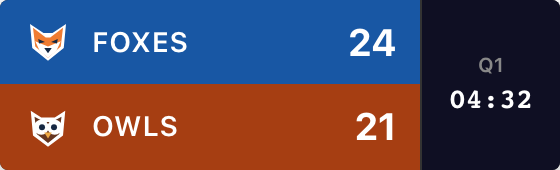
Create Your Scoreboard
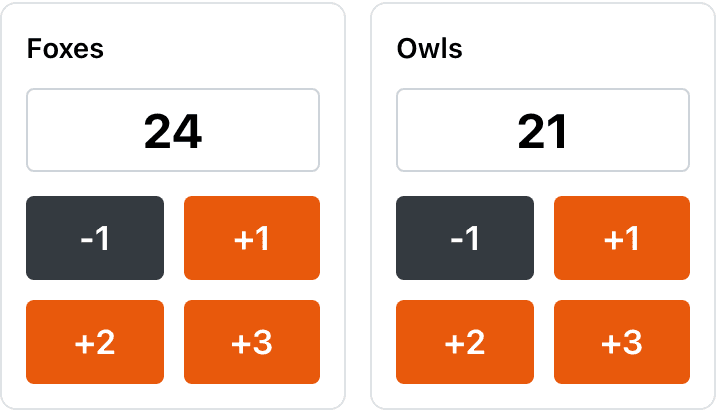
Choose your sport and name the teams. Try the +1 buttons, then create the board to get its overlay URL.
Your names, scores and style carry into the board. The scoring controls open with the Scorebug dialog ready to copy the link.
For softball, pickleball, tennis and more, start with the scoreboard maker, then open Scorebug in your board’s admin panel.
Perfect for Mac Streamers
Ecamm handles the video on your Mac; ScoreKeeperCo handles the scores in a browser. Connect them with the board’s overlay URL.
1. Copy the overlay URL
In your board’s admin panel, scroll below scoring and appearance settings. Click Scorebug beside Publish. The starter above opens this dialog for you.
Choose Background → Transparent, then Copy URL at the bottom. Copy the Embed URL, which contains /embed/. Keep the admin link for scoring.

2. Add a Widget overlay
In Ecamm’s top menu, choose Overlays → New Widget Overlay. Paste your copied link and name the widget “Game score”. Leave Fill Entire Frame off so you can position it yourself.
For our compact basketball example, start with Width 800 and Height 240. This is a tested browser size for our graphic, not a requirement for every sport or style.
Ecamm’s illustrated Widget overlay guide shows the native controls. Use a URL, not a screenshot of your scoreboard.
3. Drag, Drop, and Stream
Drag the graphic into a clear corner and resize from an edge. Keep team names, clock and free branding visible. Ecamm’s resizing guide shows the gestures.
To keep scores across camera changes, put the widget under SHOW IN ALL SCENES. Use SHOW IN CURRENT SCENE when it belongs only on your game scene.
Ecamm’s overlay settings include Keep Running to avoid reloading a hidden widget. Enable it only if needed; it continues using resources in the background.
Update From Your iPhone
Open the board’s admin link on your iPhone, iPad or another computer. The scorekeeper can stay beside the court while the video operator runs Ecamm. Give the admin link only to people who should edit the score.
4. Test a point before going live
Start a short Ecamm recording. Add a point from the admin page, check it in the recording, then correct it using your sport’s scoring controls. Switch scenes and confirm the score stays where you intended.
Both devices need internet. Scores sync without a manual refresh; your stream may add a delay for viewers. Someone still needs to enter scores and operate the game clock.
If the overlay doesn’t look right
The background is solid instead of transparent
Choose Transparent in ScoreKeeperCo’s Scorebug dialog, then copy the updated URL into Ecamm’s widget. Use the Embed URL, not the admin page or a screen capture. You do not need to remove a green background for this setup.
The overlay is cut off or covers the action
Increase the widget’s Width or Height if information is clipped. Then resize the whole overlay to fit your video. If you cannot move it, check that Fill Entire Frame is off. Test long team names and every field your sport uses.
The scoreboard vanishes when I switch scenes
Check whether the widget is in SHOW IN CURRENT SCENE. Move it to SHOW IN ALL SCENES if you need it throughout the broadcast, and check that its eye icon is enabled. Rehearse your camera switches before the match.
The score is stuck or the widget is blank
Look for save errors in the admin panel and open the overlay URL in another browser. If that view updates, check the URL in Ecamm and reload the widget. Confirm both devices are online. The official widget guide explains the reload control.
Choose the scorebug for your game
Choose Broadcast, Minimal, Classic or Vertical in the starter. The Scorebug dialog labels Broadcast “ESPN”. Available clock, period and game details depend on the sport and layout; see the real scorebug style examples.
Stream clean: remove the watermark
Free published overlays include “ScoreKeeperCo”. Paid plans can remove it and add team colors and logos. The Pro preview toggle changes only the preview, not your free published overlay. See Pro pricing for current passes, subscriptions and limits. Your Ecamm license is separate.
If you change the style, background or corner, copy the updated URL into Ecamm. Score changes continue through the existing URL.
Not every guest is on a Mac
Your scorekeeper can use a phone or Windows browser even when Ecamm runs on your Mac. If you use different broadcasting software, choose its guide below. YouTube and Twitch are stream destinations, not replacements for the overlay setup.
Frequently Asked Questions
What is a scorebug in Ecamm Live?
A scorebug (or score bug) is the compact score graphic over your video. ScoreKeeperCo supplies a transparent overlay URL that Ecamm Live displays as a Widget overlay. Someone enters the scores in the board’s admin panel; the clock, period and other fields depend on your sport and style.
How do I add a scorebug to Ecamm Live on Mac?
Create a board, open Scorebug in its admin panel, choose Transparent and click Copy URL. In Ecamm Live, choose Overlays → New Widget Overlay and paste that link. Size and position the widget over your video, then test a score change from the admin page before broadcasting.
Does the Ecamm scorebug match NFL scorebugs?
Our football overlay can show team names, scores, quarter, game clock, down and distance, depending on the selected style. It is a ScoreKeeperCo design, not an official NFL or broadcaster graphic. You enter the game information manually; it does not import NFL results.
Is the Ecamm Live scoreboard overlay free?
Start one guest scoreboard without signing up, with up to 50 board views. Published free overlays include ScoreKeeperCo branding. Paid plans add capacity and can remove branding and add team logos. Ecamm Live is separate software with its own license; a ScoreKeeperCo plan does not include it.
Elevate Your Ecamm Streams
Set up your teams, copy the overlay link and try a score change before your game.
Create Ecamm ScoreboardReturning to a saved board? Open your dashboard. Need a hand? Contact us.