
Free XSplit scoreboard overlays for sports streaming
Keep the score over your camera feed. Create a board, add its URL to XSplit Broadcaster as a Webpage source, and let a scorekeeper update it from a phone.
Create XSplit ScoreboardNo signup to start. One guest board, up to 50 board views. Free overlays include branding. See plan limits.
Already have a board? Follow the setup ↓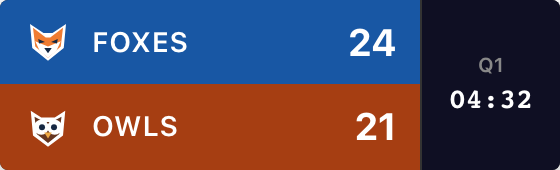
Create Your Scoreboard
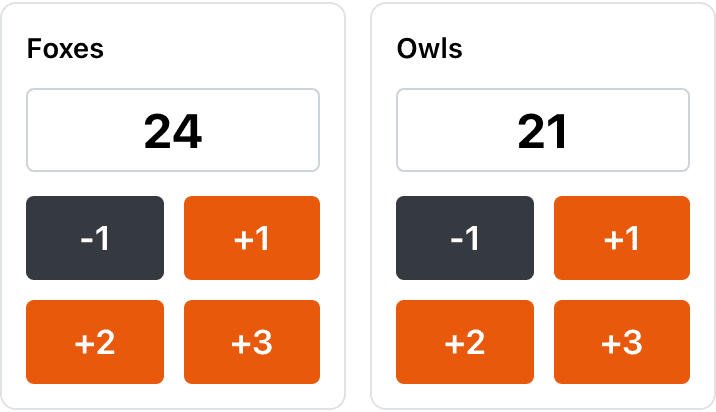
Choose your sport and name the teams. Try the +1 buttons, then create the board to get its overlay URL.
Your names, scores and style carry into the board. The scoring controls open with the Scorebug dialog ready to copy the link.
For softball, pickleball, tennis and more, start with the scoreboard maker, then open Scorebug in your board’s admin panel.
Easy XSplit Integration
The scoreboard is a live webpage; you don’t need a ScoreKeeperCo plugin. Have your XSplit scene and board’s admin page ready.
1. Copy the overlay URL
In your board’s admin panel, scroll below scoring and appearance settings. Click Scorebug beside Publish. The starter above opens this dialog for you.
Choose Background → Transparent, then Copy URL at the bottom. Use the Embed URL, which contains /embed/. Keep the admin link for scoring.

2. Add Webpage Source
In XSplit Broadcaster, choose Add Source → Webpage. Paste the copied overlay URL and click OK. Right-click the source to open its properties, then look under Display.
Choose Custom resolution. For the compact basketball example, start at 800 × 240; vertical styles need more height. Leave Disable transparency unchecked.
These controls are shown in the official Webpage source guide. Source resolution controls the webpage’s space; dragging it on the stage controls its size in your video.
3. Place it above your video
Use the source list’s layering controls to put the scoreboard in front of the camera or game capture. Drag it into position on the stage and resize from its edges.
For precise placement, use the source’s Layout tab. Leave room for the clock, long team names and free branding. Keep the graphic clear of the game’s own HUD or important action.
See XSplit’s moving and resizing guide and scene layering controls.
Check the scene you’re sending live. In Classic Mode, stage changes affect output directly. In Split Mode, make changes in Preview and use Push Live when ready. Rehearse this before your broadcast. See the two workspace modes.
Live Score Updates
Give the scorekeeper the admin link. They can enter scores on a phone, tablet or computer while the video operator handles camera switches. The admin link permits editing; put the read-only overlay URL in XSplit.
4. Test, then start streaming
Add a test point and check it in the XSplit recording. Correct the score using your sport’s controls. Switch through your game and webcam scenes and confirm the overlay appears wherever you need it.
Both devices need internet. Score changes sync without a manual refresh, but the stream can add viewer delay. Someone still needs to enter scores and operate the game clock.
If the overlay doesn’t look right
The background is solid instead of transparent
In ScoreKeeperCo’s Scorebug dialog, choose Transparent and copy the updated URL. In XSplit’s source properties, leave Display → Disable transparency unchecked. The overlay needs both settings.
The overlay is cut off or covers the action
Increase the source’s Custom resolution if any information is clipped. Then resize and reposition it on the stage. Hiding scrollbars does not fix a canvas that is too small. Test long team names and every field your sport uses.
The scoreboard vanishes when I switch scenes
Sources belong to scenes. Add the overlay URL to each scene that needs scores, check its layer order there, and rehearse your transitions. In Split Mode, check Live as well as Preview.
The score is stuck or the source is blank
Check for save errors in the admin panel and open the overlay URL in a separate browser. If that is current, refresh the XSplit source. Confirm both devices are online. A stream delay can also make viewers see a score later than the operator.
Broadcast-Ready Score Bugs
Choose Broadcast, Minimal, Classic or Vertical in the starter. The Scorebug dialog labels Broadcast “ESPN”. Clock, period and game details vary by sport and layout; compare the real examples in the scorebug style guide.
Built for the Windows gaming-creator setup
Keep your game or capture-card video in XSplit Broadcaster and enter scores from a phone beside your controller. Use a sport board for its specific fields, or choose Other game for a manual round or match tally. There is no automatic game-result import or built-in gamepad scoring connection.
This guide is for XSplit Broadcaster’s Webpage source. VCam camera background removal is a different feature; it is not where you add the scoreboard. Check a short recording with your usual sources running together before the match. Performance depends on your computer and production settings.
Stream clean: remove the watermark
Free overlays include “ScoreKeeperCo”. Paid plans can remove it and add custom team colors and logos. The Pro preview toggle only changes the preview, not a free board’s published overlay. See Pro pricing for current passes, subscriptions and limits. Your XSplit license is separate.
If you change the style, background or corner in ScoreKeeperCo, copy the updated URL into XSplit. Score changes continue through the existing URL.
XSplit isn't the only tool your audience uses
Choose the guide for your broadcasting software or destination:
Frequently Asked Questions
What is a scorebug in XSplit?
A scorebug (or score bug) is the compact score graphic over your video. ScoreKeeperCo supplies a transparent overlay URL for XSplit Broadcaster. Someone enters the scores in the admin panel; clock, period and other fields depend on your sport and style.
How do I add a scorebug to XSplit Broadcaster?
Create a board, open Scorebug in its admin panel, choose Transparent and click Copy URL. In XSplit Broadcaster, use Add Source → Webpage and paste that link. Size the source to fit the graphic and place it above your camera in the scene. Test a score change before going live.
Can I control the scoreboard with a gamepad while streaming?
There is no built-in gamepad or Stream Deck connection for entering ScoreKeeperCo scores. Use the board’s admin page on a phone or another browser. XSplit scene shortcuts and controller visualizers do not change the scores. Share the admin link only with people who should edit the board.
Does the XSplit scorebug slow down game capture performance?
A Webpage source still uses computer resources. We cannot promise no effect on game capture or encoding. Test a short recording with your usual game, camera and overlay running together, and check both picture quality and score updates before your event.
Is the XSplit scoreboard overlay free?
Start one guest scoreboard without signing up, with up to 50 board views. Published free overlays include ScoreKeeperCo branding. Paid plans add capacity and can remove branding and add team logos. Your XSplit software license is separate from your ScoreKeeperCo plan.
Power Up Your XSplit Streams
Get your teams ready, copy the overlay URL and test a score change before the game.
Create XSplit ScoreboardNeed help? Contact us with the step you’re stuck on.