Enter the results. Share the standings. Your league table updates automatically after every completed game.
Create a league tableStart free. Enter results in your own board and share its public standings. Compare paid features.

The live Round Robin board handles both fixtures and standings. Enter both scores in Schedule, then select Mark Complete. Played, wins, losses and points update together.
A score typed into an unfinished match does not count yet.
Team names & scoring settings →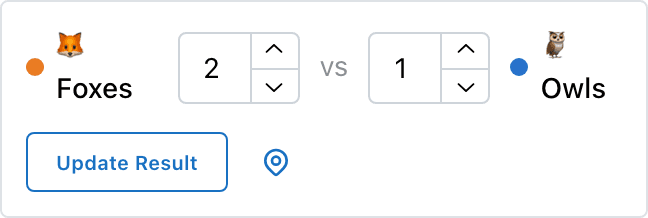
One public link for everyone following the league.
On your scoring page, find Share Links. Open or copy Public Link to give players and parents the standings and results. Keep the admin link for the organizers who enter scores.
For OBS, use Embed Link as the URL of a Browser Source. It shows a compact standings table. The OBS scoreboard setup guide explains the browser-source workflow.
This mini-season uses 3 points for a win, 1 for a draw and 0 for a loss. Every team plays the other three once. These six completed results produce the actual table pictured above.
Foxes2–1Owls
Turtles0–0Bees
Foxes1–1Turtles
Owls3–0Bees
Foxes0–2Bees
Owls0–0Turtles
Owls, Foxes and Bees each have one win, one draw and one loss: 3 + 1 + 0 = 4 points. Owls have scored 4 and conceded 2, so their difference is +2. That beats the Foxes’ and Bees’ −1.
They tie on both points and difference, so scores for decide the order: Foxes 3, Bees 2. Bees won their head-to-head match, but head-to-head is not this tool’s tiebreaker.
Turtles draw all three games: 1 + 1 + 1 = 3 points. Their zero difference does not put them above a team with more league points.
A league table maker turns your round robin results into a ranked standings grid — Played, Won, Drawn, Lost, goal difference, and Points — updated automatically as scores come in.
A league table ranks the teams in a competition from their completed results. Match scores and league points are different: a 2–1 win adds two to goals for, but awards three standings points when you use the example’s 3–1–0 rules.
If teams are still equal after points, difference and scores for, the app uses alphabetical name order. That is a display order, not a sporting tiebreak. Check your own competition’s rules before deciding a winner or seeding playoffs.
Edit the scores in Schedule and select Update Result. The saved result recalculates the table; do not add a second match to compensate. Changing a completed score can affect rankings as it saves, so check both values.
Byes and cancelled matches do not count toward played games or points. An unfinished match stays out of the standings until it is marked complete.
Use the optional planner for 3–24 teams. It makes fixtures, not a scored table. Print, copy or download your schedule before leaving; this browser planner does not save your edits. To carry it into a club workspace, expand Save this schedule as a live league and choose Save & manage this league. That route asks you to sign in.
For the full season-planning explanation, use the league schedule maker. For format and bye examples, use the round robin generator.
A spreadsheet gives you control over formulas and custom league rules. A Round Robin board gives you a shared standings page calculated from the match results you enter. Choose it when the supported points, difference and scores-for ordering matches your competition; do not assume it reproduces every sport’s regulations.
If you also need reusable club teams, season scheduling and playoff organization, see league management software. For a competition scored with one running total per team rather than match results, use the leaderboard maker.
Played (P), wins (W), draws (D, when enabled), losses (L), points or goals for (PF), against (PA), difference (+/−), and league points (Pts). For football, PF and PA mean goals scored and conceded. Pts means the standings points awarded for wins, draws and losses.
Yes. Open League setup and registration, then Settings. Set Points for Win, Points for Draw and Points for Loss. Enable Allow Draws if your league permits tied results. The example on this page uses 3 for a win, 1 for a draw and 0 for a loss. Overtime-specific points and bonus-point formulas are not separate settings.
The order is league points, then goal or point difference, then total goals or points scored. If all three match, names sort alphabetically for display. Head-to-head results, disciplinary records and a league-specific final tiebreak are not applied automatically. Agree on your competition rules before play.
Yes. On the admin page, find Share Links and open or copy Public Link. It shows the standings and results without scoring controls. For a broadcast, use Embed Link as an OBS Browser Source. Keep the admin link private. An internet connection is needed for live updates.
Yes. You can create a Round Robin board and record results to build public standings for free, including trying it without an account. Paid features include CSV export and branding options; playoff bracket limits depend on the plan. The separate fixture planner on this page prints, copies and exports its unsaved schedule for free.
Entering a score alone does not complete a new match. Enter both scores and select Mark Complete. Only completed, non-cancelled matches count in standings; byes do not award a played game or points. If draws are disabled, an equal-score result cannot be marked complete.
Set the rules. Record the results. Share the standings.
Need help setting up your league? Contact us.
